Node.js Fundamentals
Definition: Node.js is a JavaScript runtime built on Chrome's V8 engine that allows you to run JavaScript on the server side, outside the browser environment.
Key Concepts:
- Asynchronous & Event-Driven: Operations don't block code execution
- NPM (Node Package Manager): A package management system for JavaScript
- Modules: Reusable blocks of code that can be imported and exported
Core Concept 1: Modules & Require
Modules are the foundation of Node.js code organization. They allow you to split your code into separate files and reuse functionality across your application.
Creating a Local Module
// mathUtils.js (Local Module)
function add(a, b) {
    return a + b;
}

function multiply(a, b) {
    return a * b;
}

// Export functions
module.exports = { add, multiply };
Using the Module
// app.js (Main File)
const mathUtils = require('./mathUtils');

console.log(mathUtils.add(5, 3));      // Output: 8
console.log(mathUtils.multiply(4, 2)); // Output: 8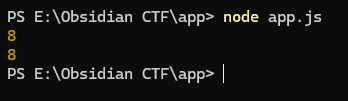
Key Takeaway: module.exports makes code available to other files, while require() imports it.
Core Concept 2: Creating a Simple HTTP Server
Node.js includes a built-in http module that allows you to create web servers without any external dependencies.
// server.js
const http = require('http');

const PORT = 3000;

const server = http.createServer((req, res) => {
    // Set response header
    res.writeHead(200, { 'Content-Type': 'text/html' });

    // Handle different routes
    if (req.url === '/') {
        res.end('<h1>Welcome to CTF Challenge</h1>');
    } else if (req.url === '/flag') {
        res.end('<h1>Access Denied</h1>');
    } else {
        res.end('<h1>404 - Not Found</h1>');
    }
});

server.listen(PORT, () => {
    console.log(`Server running on http://localhost:${PORT}`);
});
Running the Server
node server.js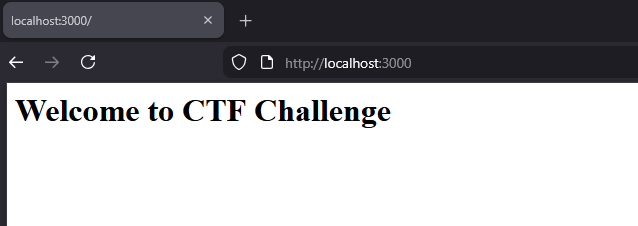
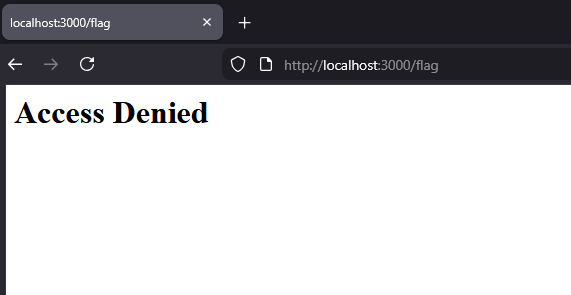
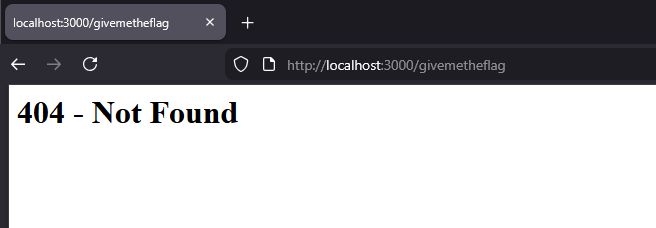
Key Takeaway: http.createServer() creates a server, and the callback function handles incoming requests and outgoing responses.
Core Concept 3: Express.js Framework
Express.js is a minimal and flexible Node.js web application framework that simplifies building web servers and APIs.
Installing Express
npm init -y
npm install express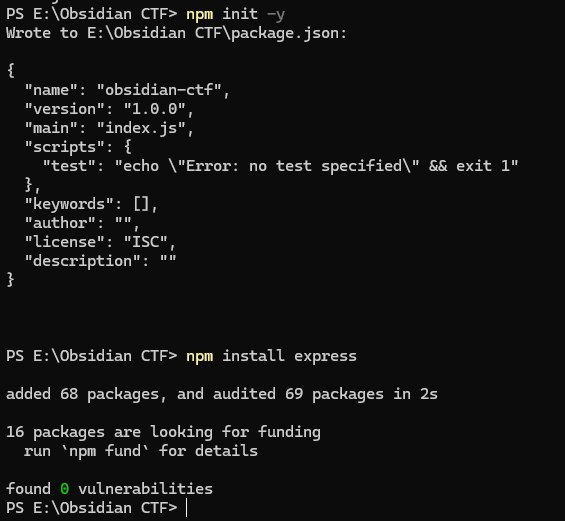
Basic Express Application
// app.js
const express = require('express');
const app = express();
const PORT = 3000;

// Middleware to parse JSON bodies
app.use(express.json());

// Root route
app.get('/', (req, res) => {
    res.send('<h1>CTF Challenge Portal</h1>');
});

// Challenge route
app.get('/challenge', (req, res) => {
    res.json({
        title: "Web Exploitation 101",
        difficulty: "Easy",
        points: 100
    });
});

// POST route for flag submission
app.post('/submit', (req, res) => {
    const { flag } = req.body;

    if (flag === 'CTF{secret_flag}') {
        res.json({ success: true, message: 'Correct!' });
    } else {
        res.json({ success: false, message: 'Wrong flag!' });
    }
});

app.listen(PORT, () => {
    console.log(`Server running on http://localhost:${PORT}`);
});
Troubleshooting: Cannot GET /submit
When visiting /submit in the browser, you may encounter this error:
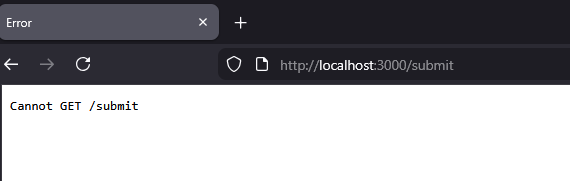
Problem: The browser makes a GET request to /submit, but the application only defines a POST handler for that path. Express automatically responds with "Cannot GET /submit" when there's no matching GET route.
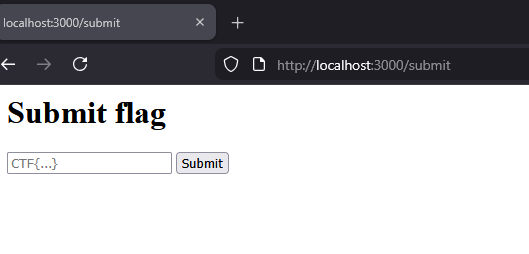
Solution: Add a GET handler to display a form for flag submission:
app.get('/submit', (req, res) => {
    res.send(`
        <h1>Submit Flag</h1>
        <form id="flagForm" method="post" action="/submit">
            <input name="flag" placeholder="CTF{...}" />
            <button type="submit">Submit</button>
        </form>
    `);
});
Troubleshooting: POST Request Not Working
After submitting the form, you may see this error:
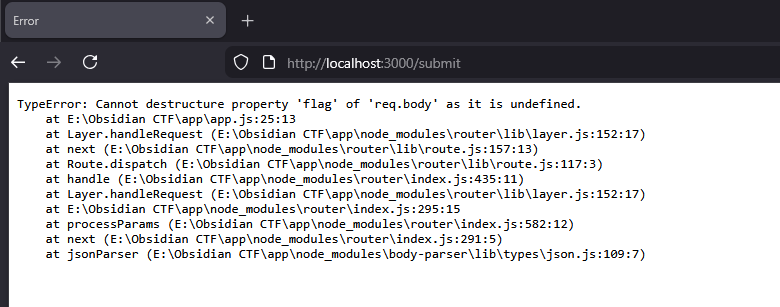
Problem: The body parser middleware (express.json()) doesn't recognize the format of the incoming request body. Regular HTML forms submit data as application/x-www-form-urlencoded, not JSON.
Solution: Add the URL-encoded body parser middleware:
app.use(express.urlencoded({ extended: true })); // Handles form posts
app.use(express.json());                         // Handles JSON posts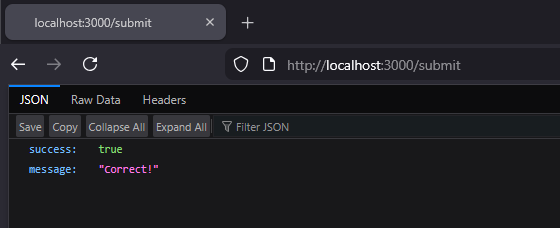
Key Concepts
app.get()- Handle GET requestsapp.post()- Handle POST requestsreq- Request object (contains data from the client)res- Response object (sends data to the client)- Middleware - Functions that process requests before they reach routes
Core Concept 4: File System Operations
Node.js provides the fs module for interacting with the file system. It offers both synchronous and asynchronous methods for reading and writing files.
Creating a Test File
First, create a text file for testing:
PowerShell command:
$challenge = @"
Welcome to the filesystem challenge
This text is being read from challenge.txt
"@

Set-Content -Path "challenge.txt" -Value $challenge
Reading and Writing Files
const fs = require('fs');

// Synchronous read (blocks execution)
const data = fs.readFileSync('challenge.txt', 'utf8');
console.log(data);

// Asynchronous read (non-blocking) - PREFERRED
fs.readFile('challenge.txt', 'utf8', (err, data) => {
    if (err) {
        console.error('Error reading file:', err);
        return;
    }
    console.log(data);
});

// Write to file
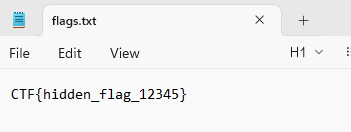
const flagData = 'CTF{hidden_flag_12345}';
fs.writeFile('flags.txt', flagData, (err) => {
    if (err) {
        console.error('Error writing file:', err);
        return;
    }
    console.log('Flag saved successfully');
});
How Node.js Executes This Script
-
Node process starts and loads your
app.js. -
require('fs')runs immediately and returns thefsmodule (built into Node). -
Node executes your script top-to-bottom in a single main thread (the event loop thread).
-
When it encounters synchronous operations (like
readFileSync), that line blocks the main thread until completion. -
When it encounters asynchronous operations (
fs.readFile,fs.writeFile), Node schedules I/O work handled by the operating system and libuv. The main thread continues executing, and the provided callback runs later when the I/O completes. -
The event loop manages when those callbacks execute. There's a small worker threadpool (libuv) for file I/O, so long-running OS tasks don't block the event loop.
-
When there are pending callbacks, timers, or other events, the event loop continues processing them. When nothing is left, the Node process exits.
Line-by-Line Explanation
const fs = require('fs');
- Imports Node's built-in filesystem module.
require()looks up the module, loads it, and returns the exported API.
const data = fs.readFileSync('challenge.txt', 'utf8');
- Synchronous read: reads the file contents and blocks the main thread until finished.
'utf8'instructs Node to decode the bytes into a JavaScript string instead of returning a Buffer.- If the file is missing or unreadable, this call throws an exception (wrap it in
try/catchfor production code).
Effect: Nothing else in your script can execute while Node is reading the file.
console.log(data);
- Prints the content read from
challenge.txtto stdout immediately after the synchronous read finishes.
fs.readFile('challenge.txt', 'utf8', (err, data) => { ... });
- Asynchronous read: tells Node to read the file in the background and call the callback when done.
- Under the hood, Node delegates to libuv, which uses a small threadpool to perform filesystem I/O. When the read completes, the callback is queued on the event loop and executed later.
errisnullon success; otherwise it contains an Error object.
Important: This does not block the main thread. The callback runs later, after the current stack finishes.
console.log(data); inside the callback
- Prints the file contents again, but from the asynchronous read.
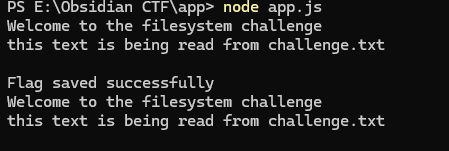
- Because the synchronous read executes first, you'll see the file contents printed twice: once for sync, once for async.
const flagData = 'CTF{hidden_flag_12345}';
- A string to write to a file.
fs.writeFile('flags.txt', flagData, (err) => { ... });
- Asynchronous write: writes
flagDataintoflags.txt. If the file doesn't exist, it will be created; if it exists, it will be overwritten. - The callback runs when the write completes (or with an error).
- This also uses libuv's threadpool internally.
Output: After the write completes, you'll see "Flag saved successfully".
Key Takeaways
fs.readFileSync()→ blocks everything until the file finishes readingfs.readFile()→ runs in the background, allowing other code to execute (preferred)fs.writeFile()→ asynchronously writes to a file
Exercise: Node.js Challenge Server
Build a complete challenge server that includes:
- A
/hintsendpoint that returns challenge hints - A
/verifyPOST endpoint that checks submitted answers - Logging all attempts to a file
Initial Solution
const express = require('express');
const fs = require('fs');
const app = express();

app.use(express.json());

// Hints endpoint
app.get('/hints', (req, res) => {
    const hints = [
        "Look in the HTTP headers",
        "Check the source code",
        "Try common vulnerabilities"
    ];
    res.json({ hints });
});

// Verify endpoint
app.post('/verify', (req, res) => {
    const { answer } = req.body;
    const timestamp = new Date().toISOString();

    // Log attempt
    fs.appendFile('attempts.log',
        `${timestamp} - Attempt: ${answer}\n`,
        (err) => {
            if (err) console.error(err);
        }
    );

    // Check answer
    if (answer === 'node_is_awesome') {
        res.json({
            success: true,
            flag: 'CTF{y0u_f0und_1t}'
        });
    } else {
        res.json({
            success: false,
            message: 'Keep trying!'
        });
    }
});

app.listen(3000, () => {
    console.log('CTF server running on port 3000');
});
Testing the Hints Endpoint
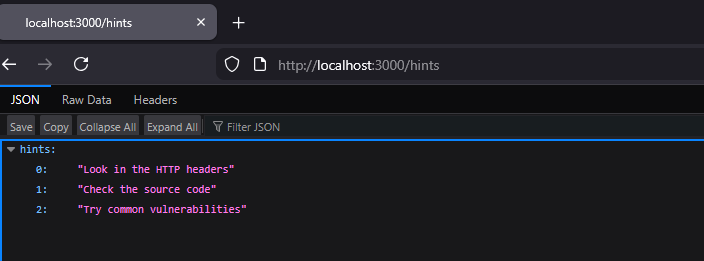
The /hints endpoint works properly and provides the requested information:
Troubleshooting: Cannot GET /verify
When visiting /verify in the browser, you'll encounter this error:
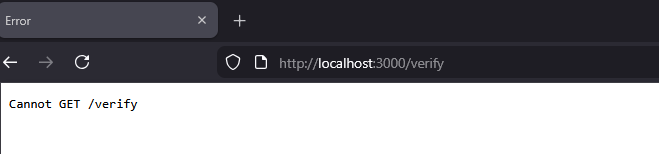
Problem: The /verify route is defined as a POST route, not GET. Express sees no GET route for /verify and responds with "Cannot GET /verify".
The /hints endpoint works because you're making a GET request and have defined app.get('/hints', ...). The /verify endpoint only works when a POST request is made.
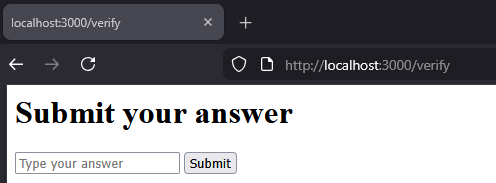
Solution: Add a GET handler to display a submission form:
app.get('/verify', (req, res) => {
    res.send(`
        <h1>Submit Your Answer</h1>
        <form method="POST" action="/verify">
            <input name="answer" placeholder="Type your answer" />
            <button type="submit">Submit</button>
        </form>
    `);
});
Troubleshooting: Form Submission Not Working
After adding the form, submission may still fail:
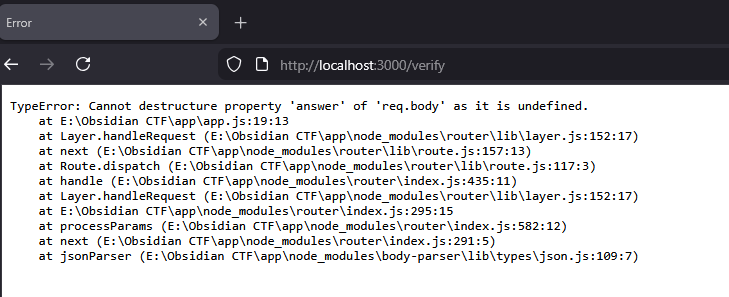
Problem: express.json() only parses application/json requests. For form submissions, req.body remains undefined, causing the destructuring to fail.
Solution: Add the URL-encoded body parser middleware:
app.use(express.urlencoded({ extended: true }));
app.use(express.json());
Summary
This guide covered the fundamental concepts of Node.js:
- Modules & Require - Organizing code into reusable components
- HTTP Server - Creating basic web servers with the built-in http module
- Express.js - Building web applications with a popular framework
- File System Operations - Reading and writing files synchronously and asynchronously
Understanding the difference between synchronous and asynchronous operations is crucial for writing efficient Node.js applications. Always prefer asynchronous methods in production code to avoid blocking the event loop.